Step 4 - Delete Booking and Open Dates
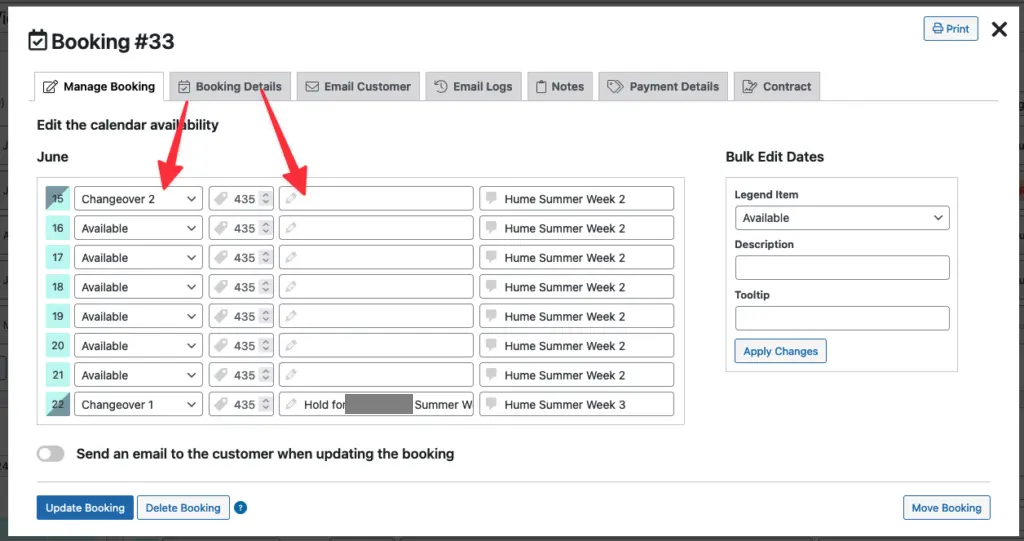
- When viewing the booking details screen, click the tab for Manage Booking
- Change the Status for each day of the booking:
- If the first row was originally "Booked", change it to "Changeover 2". If it was "Changeover 1", change it to "Available".
- If the last row was "Booked", change it to "Changeover 1". If it was "Changeover 2", change it to "Available".
- Clear the Description field for every day except the last day.
- Click Delete Booking